REST API · MCP server · llms.txt
Every exercise,
fully documented.
2,199 movements across 12 disciplines — each a structured record with form coaching, common mistakes, safety notes, muscle targeting, variations, and demonstration video. One MCP install and your AI agent wires the whole library into your app.
npx -y @exerciseapi/mcp-serverfree tier, no card
GET/v1/exercises/Barbell_Back_Squat200 OK
videos[0] · 720p · mp4
{
"name": "Barbell Back Squat",
"category": "strength", "level": "intermediate",
"primary_muscles": ["rectus femoris", "vastus lateralis", "vastus medialis"],
"exercise_tips": ["Keep knees tracking over toes", …],
"common_mistakes": ["Allowing knees to cave inward", …],
"safety_info": "Use a squat rack with safety bars …",
"variations": ["Front Squat", "Box Squat", …],
"videos": [{ "url": "…/Barbell_Back_Squat.mp4", "resolution": "720p" }]
}
2,199
exercises
12
disciplines
150 ▸
exercises with video demos & counting
20+
structured fields
# Exercise API — Add a rich exercise library to your app

You're integrating exerciseapi.dev, a REST API with 2,198+ exercises across 12 categories
(strength, yoga, mobility, PT, calisthenics, plyometrics, stretching, pilates, conditioning,
olympic weightlifting, powerlifting, strongman). Each exercise includes form tips, common
mistakes, safety info, anatomical muscle targeting, and variation links. Your job is to
build UI that actually surfaces this richness — not just name and image.

## Step 1: Figure out what you're working with

Before writing code, inspect the current directory:

- Is there a package.json, pubspec.yaml, Podfile, go.mod, or similar? What framework?
- Are there existing routes, screens, or components? Is this a fresh scaffold or a real app?
- Is there an existing HTTP client (axios, ky, dio, Alamofire) or state layer
  (React Query, SWR, Riverpod, Redux)? Reuse it.
- Is there a design system, component library, or established styling approach
  (Tailwind, NativeWind, shadcn, Material, custom)? Match it.
- Are there env var conventions already in use (.env, .env.local, app.config.ts)?

Then decide which mode you're in:

**Mode A — Greenfield.** Empty directory, or a fresh scaffold with no real code yet.
You're setting up the project. Pick sensible defaults for the detected (or chosen)
framework, scaffold a minimal but real app structure, and build the screens listed
in Step 7 as the starting product.

**Mode B — Existing app.** There's already a codebase with conventions, components,
and routing. You're adding an exercise feature to it. Match the existing patterns
exactly — same HTTP client, same state management, same styling, same folder structure,
same naming conventions. Don't introduce new dependencies if existing ones cover the
need. Don't restructure anything. Add the new screens/components as a feature module
that fits in.

If it's ambiguous (e.g. a half-built project), ask the user one clarifying question
before proceeding. Otherwise just pick the right mode and tell the user which one
you picked and why in one sentence.

## Step 2: Read the full spec

Fetch https://exerciseapi.dev/llms.txt before writing any code. It has the complete
schema, every endpoint, error format, query parameters, and integration patterns.
Treat it as your source of truth — this prompt is the orientation, llms.txt is the
reference.

## Step 3: Set up the client

- Base URL: https://api.exerciseapi.dev/v1
- Auth header: X-API-Key: YOUR_API_KEY
- Store the key in an env var following the project's existing convention. Never
  hardcode it. Never commit it. Never put it in client-side code that ships to
  browsers without a server-side proxy — for Next.js use a route handler, for
  React Native it's fine on-device, for plain web SPAs add a thin proxy.
- Use the framework's idiomatic HTTP layer. If the project already uses one, use that.

## Step 4: Cache exercise data locally

Exercise data changes infrequently — cache it to avoid redundant API calls,
reduce latency, and make the app work offline.

- On first launch, fetch all needed exercises and store them locally
  (localStorage, AsyncStorage, SQLite, or whatever the platform provides).
  Store a timestamp alongside the data.
- On subsequent launches, check the cache age. If it's less than 24 hours old,
  use the cached data and skip the network call entirely.
- If the cache is stale (>24 hours), refetch in the background and update the
  cache. Show cached data immediately while refreshing.
- Apply the same 24-hour TTL strategy to reference endpoints (/v1/categories,
  /v1/muscles, /v1/equipment) — these change even less frequently.
- Do not redistribute or re-serve cached data to other users. The cache is
  per-device, per-installation only (see exerciseapi.dev/terms).

This means a typical user triggers API calls only once per day, not on every
app open. Your daily rate limit maps cleanly to actual user growth.

## Step 5: Example response shape

GET /v1/exercises?q=bench&limit=1 returns:
```json
{
  "data": [{
    "id": "Barbell_Bench_Press",
    "name": "Barbell Bench Press",
    "keywords": ["bench", "flat bench", "chest press"],
    "primaryMuscles": ["pectoralis major sternal head", "pectoralis major clavicular head"],
    "secondaryMuscles": ["deltoid anterior", "triceps brachii lateral head"],
    "equipment": "barbell",
    "force": "push",
    "level": "intermediate",
    "mechanic": "compound",
    "category": "strength",
    "instructions": ["Lie back on a flat bench with feet flat on the floor...", "..."],
    "exerciseTips": ["Keep your wrists stacked over your elbows...", "..."],
    "commonMistakes": ["Bouncing the bar off the chest...", "..."],
    "safetyInfo": "Use a spotter for heavy loads. Avoid if you have shoulder impingement.",
    "overview": "The barbell bench press is a compound pushing movement that primarily targets the chest...",
    "variations": ["Incline Barbell Bench Press", "Close Grip Bench Press", "Dumbbell Bench Press"],
    "images": []
  }],
  "total": 47, "limit": 20, "offset": 0
}
```

The rich fields (overview, instructions, exerciseTips, commonMistakes, safetyInfo,
variations) are the whole point. A detail screen that only shows name and muscle is
a failure mode — that's the same thing every other free exercise dataset gives you.

## Step 6: Search and filter patterns

- Free-text search: `?q=benchpress` (fuzzy + typo-tolerant, no space needed)
- Filter by category: `?category=yoga&level=beginner`
- Filter by equipment: `?equipment=dumbbell`
- Filter by muscle (display group OR anatomical name): `?muscle=chest`
- Combined: `?q=press&category=strength&muscle=chest`
- Random picker: `?random=true&limit=5`
- Pagination: `?limit=20&offset=20`

Free tier limits: max `limit=20`, max `offset+limit=500`. Don't generate code that
asks for limit=100 — it'll be clamped silently or rejected if depth is exceeded.
If the app needs to display more than 20 results at once, paginate.

Single exercise: `GET /v1/exercises/Barbell_Bench_Press` returns `{ "data": { ... } }`.
Use the `id` field from a list response — it's the slug.

Reference endpoints (cache these client-side, they rarely change):
- `GET /v1/categories` — list of all 12 categories with counts
- `GET /v1/muscles` — display group → anatomical name mapping (use this to power
  a muscle filter UI)
- `GET /v1/equipment` — flat list of equipment names

## Step 7: Handle errors properly

All errors return this envelope:
```json
{
  "error": {
    "code": "ERROR_CODE",
    "message": "Human-readable description",
    "hint": "Actionable next step to fix this",
    "docs_url": "https://exerciseapi.dev/docs/errors#ERROR_CODE",
    "details": {}
  }
}
```

Every error includes `hint` (tells the developer exactly what to do) and `docs_url`
(links to the relevant error documentation). Surface both in your error handling — don't
just throw a generic error and lose this context.

Build your error handler to extract these fields:
```javascript
async function handleApiError(response) {
  const body = await response.json();
  const { code, message, hint, docs_url, details } = body.error;
  // hint tells you what to do, docs_url tells you where to learn more
  // details has structured data (upgrade_url, allowed values, etc.)
  return { code, message, hint, docsUrl: docs_url, details };
}
```

The codes you'll encounter in the UI:

- `INVALID_API_KEY` (401): Key missing or wrong. `hint` tells the developer the
  expected format. Dev-time error — surface the hint clearly in the console.
- `RATE_LIMIT_EXCEEDED` (429): Per-minute or daily limit. `hint` includes the
  wait time or reset time. `details.upgrade_url` is included — surface it as a real
  upgrade CTA in the UI, not a generic toast. Honor the `Retry-After` header.
- `PAGINATION_DEPTH_EXCEEDED` (403): Free tier asked for offset+limit > 500.
  `hint` tells how to fix it. `details.upgrade_url` included.
- `NOT_FOUND` (404): Exercise ID doesn't exist. `hint` suggests using search to
  find the correct ID. Show a friendly empty state with a link back to search.
- `INVALID_PARAMETER` (400): Bad query param. `hint` includes the list of allowed
  values for enum fields (category, level, force, mechanic). `details.allowed` has
  the array. Use it to show a helpful "did you mean?" or valid values list.
- `INTERNAL_ERROR` (500): Server-side issue. `hint` points to the health endpoint.
  Retry with exponential backoff.

The upgrade CTAs are the whole point of how the API surfaces tier limits — wire them
up as real interactive elements, not log lines.

## Step 8: Build these screens

Adapt to the project's existing routing/navigation. Names are illustrative.

1. **Exercise search screen.** Search input (debounced ~250ms), category filter
   (chips or dropdown), muscle filter (chips or dropdown, populated from /v1/muscles),
   results list with name + primary muscle + equipment + level. Loading skeleton,
   empty state, error state with retry.

2. **Exercise detail screen.** Show: name, category/level/equipment as metadata,
   overview as intro paragraph, primaryMuscles + secondaryMuscles (use the muscle
   group mapping to render display names), instructions as a numbered list,
   exerciseTips as a callout, commonMistakes as a warning callout, safetyInfo as a
   safety callout, variations as a horizontally-scrollable list of tappable cards
   that navigate to the variation's detail screen.

3. **Reusable ExerciseCard component.** Used in search results, variation lists,
   and anywhere else exercises appear.

For Mode A (greenfield), wire these up as the app's core navigation. For Mode B
(existing app), add them as a feature module that fits the existing routing
patterns — don't replace anything that exists.

## Step 9: Done when

- Searching "bench" returns relevant results within 300ms of stopping typing
- Searching "benchpress" (no space, typo-style) still returns bench press variants
- The detail screen visibly shows overview, instructions, tips, mistakes, safety,
  and variations — not just name and muscle
- Variation links navigate to that variation's detail screen
- A 429 response renders an upgrade CTA in the UI, not a console log or crash
- A 404 (e.g. user navigates to a deleted exercise) shows a friendly empty state
- The API key is loaded from an env var, not hardcoded, and not exposed to clients
  for web apps
- The new code matches the project's existing conventions (Mode B) or establishes
  clean conventions (Mode A)
- Running the app and clicking through search → detail → variation → detail works
  end to end without errors
- Exercise data is cached locally; reopening the app within 24 hours does not
  make any API calls

# If you're running in Claude Code, Cursor, Codex, Windsurf, or Cline,
# prefer the MCP server: npx -y @exerciseapi/mcp-server
# Docs: https://exerciseapi.dev/docs/mcp

You'll need an API key from https://exerciseapi.dev/dashboard. Replace YOUR_API_KEY
above with your key, or load it from your env file.
Claude · Cursor · Windsurf · Cline · Zed · Lovable · Bolt · v0
Exercise-data APIs, compared
apr 2026 · public pricing pages| exerciseapi.dev | ExerciseDB | API Ninjas | MuscleWiki | wger | |
|---|---|---|---|---|---|
| Free tier / mo | 3,000 | ~300 | ~10k shared | 500 playground-only | unlimited (AGPL) |
| Entry paid tier | $5 | $25 | $39 | $5 | self-host |
| Overage model | $0.002/req, 10× cap | RapidAPI metered | hard cap | hard cap | self-host |
| MCP + llms.txt | ✓first-party | ✗ | ✗ | ✗ | 3rd-party only |
| Categories (yoga, pilates, PT…) | 12 disciplines | strength only | strength only | strength only | strength only |
| Demo videos / images | 150 exercises covered, rolling out | GIFs (~1,300) | none | 7,500 videos | sparse |
See it shipped
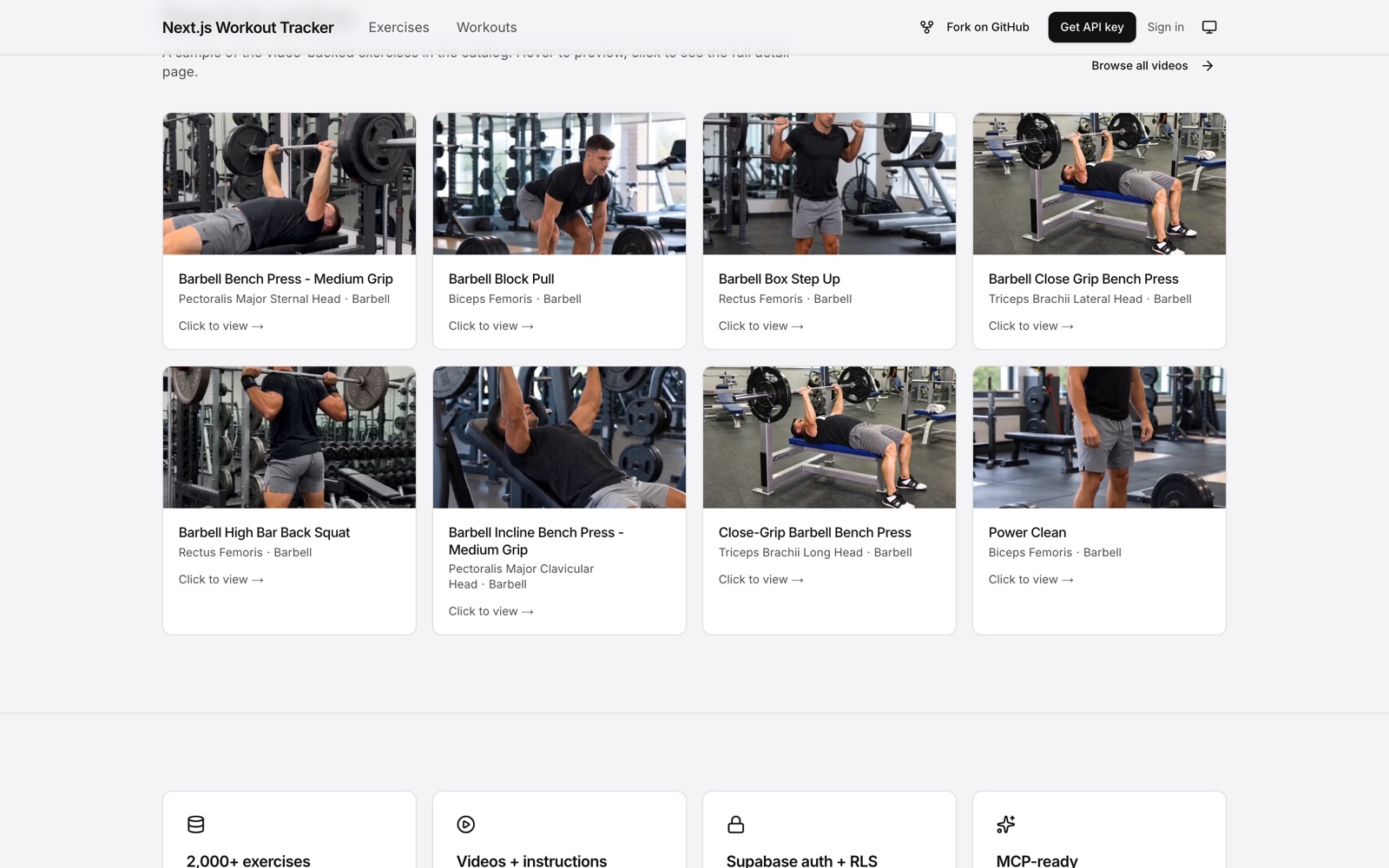
production starter · open sourceA Next.js + Supabase workout tracker built on exerciseapi.dev. Magic-link auth, row-level security, 2,000+ exercises. Fork it, rename it, ship your app.
Pricing
all plans · stripe-metered overageFree
$0/mo
For testing
100 req/day · 60 rpm
no overage
Starter · recommended
$5/mo
For hobby projects
1,000 req/day · 120 rpm
$0.002/req overage
Pro
$29/mo
For production launch
10,000 req/day · 300 rpm
$0.002/req overage
Business
$79/mo
For high output
100,000 req/day · 2,000 rpm
$0.002/req overage
10× safety cap on every paid tier. We cut you off before a mistake costs five figures.
Need custom limits, SLA, or invoicing? Contact us for Enterprise.
How it ships to your agent
MCP server on npm · 6 stdio toolsnpx @exerciseapi/mcp-server · 6 tools · works with Claude Code, Cursor, Windsurf, Cline, Zed2,199
exercises12
disciplines<50ms
p50 latency6
MCP toolsTry it live
hits the live API · no key neededGET /v1/exercises?q=
0 results · 2,199 exercises · 12 categories
14 days of Pro access · No credit card required